
You can download an ISO for VMware ESXi from the official VMware website. You will need to register, if you don’t have an VMware account yet or to log in with your existing account.
In my case I have downloaded ESXi version 7 from following link.
- First of all you have to register for the product, just click „Register“:
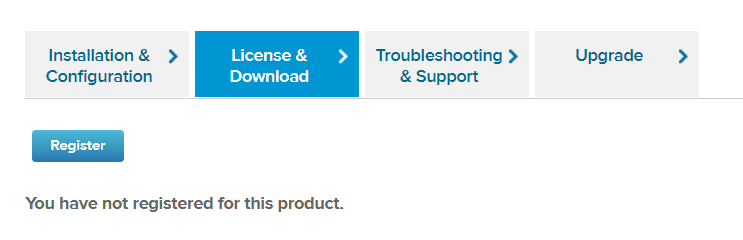
2. Register for ESXi by giving some personal information. After that you will receive a unique license key and access to the binaries. Now you are able to download and install ESXi.

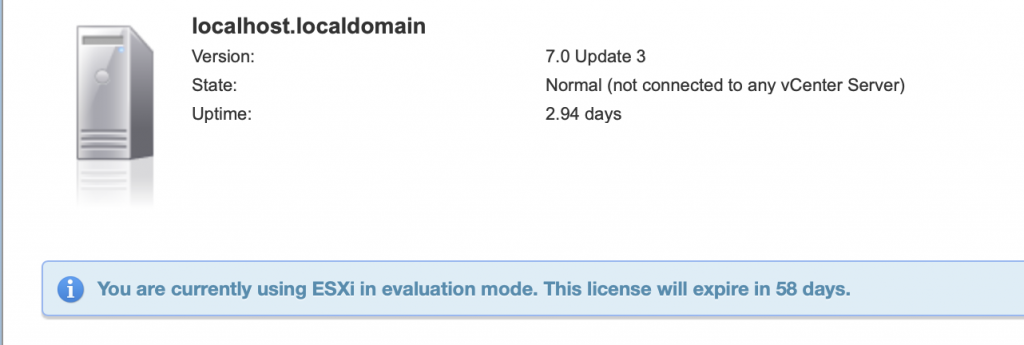
3. After ESXi installation you will get warning from ESX, that you are using ESX in evaluation mode and your evaluation licence will expire in 60 days:
4. Now you have to navigate to Host -> Manage -> Licensing and put your licence key you received while product registration. Click check license:
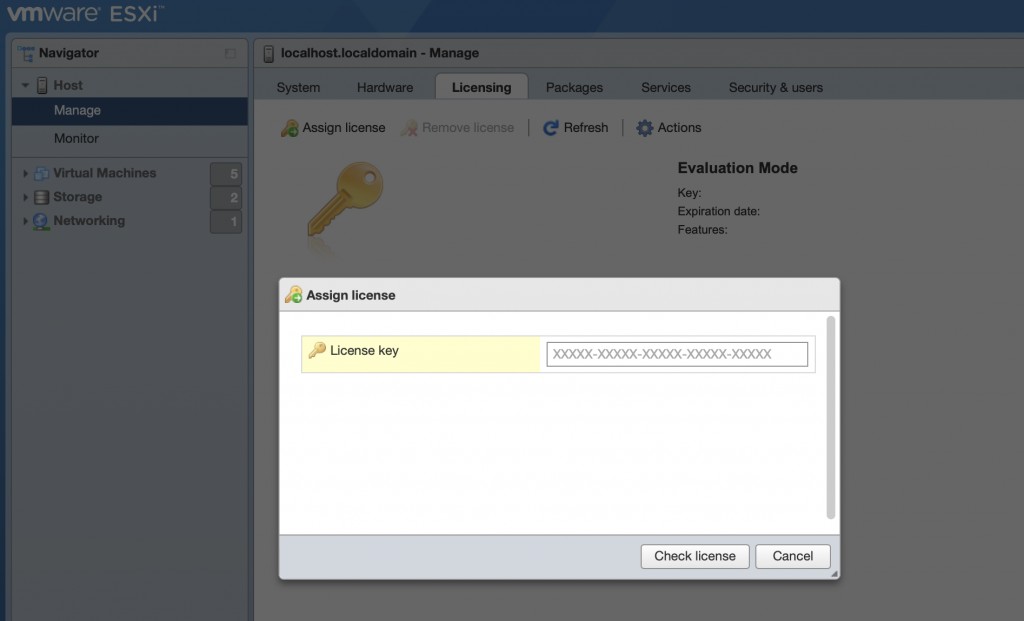
5. And now just click „Assign license“:

6. Now you are good! You have free license installed, which will never expire:
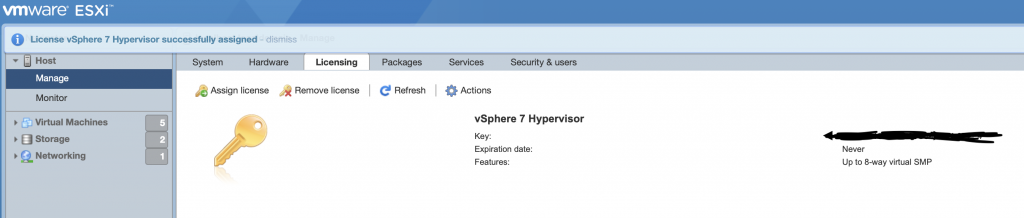
Which features you can use with your free licence:
- Unlimited Physical CPUs per Host
- Unlimited Cores per CPU
- Unlimited RAM
- Your license is unlimited, you don’t have expiration date
Free License limitation known for me so far:
- No VMware Support
- vCenter can not be used to manage your ESX hosts
- Each VM can have max 8vCPU, that means you are limited for example to 8 one-core CPU or to 4 two-core CPU for each VM